Skip to content

Self-hosted alternatives to MindMup

MindMup is an online mind mapping tool that runs in the browser and also offers a desktop app. One listed app does its main job and runs in your own Cloudflare account.

Each answer comes from the app’s README and source code, compared with the features MindMup describes on its own site.

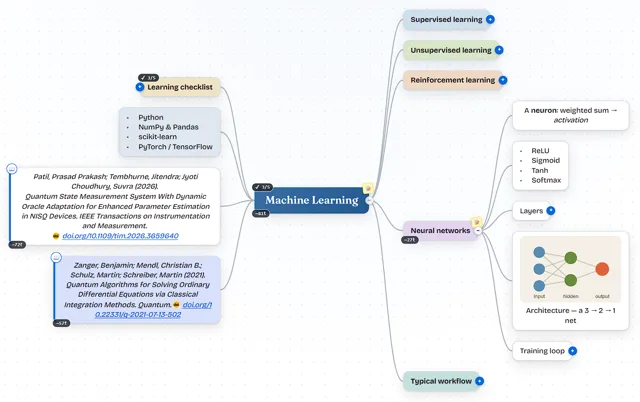
  • MindSpark mind map about machine learning with colored branches, a learning checklist, two citations and an embedded network diagram

    Mind-mapping app with a two-way Markdown editor that saves maps to a private GitHub, Gitea or GitLab repository

    Deploy
    CLI
    License
    MIT
    GitHub stars
    151 stars
    Last commit

MindMup features, app by app

FeatureMindSpark
Online mind mapping in the browserYes
Org charts and fishbone diagramsYes
Argument visualizationNo
Control of layout, color and shape from map to nodePartly
Notes and outlines with clean text exportYes
Sharing with teams or classrooms, with guest accessPartly
Version historyYes
FreeMind import and export, and export to PDF, PNG and JPGPartly

Mind-mapping app with a two-way Markdown editor that saves maps to a private GitHub, Gitea or GitLab repository

What a MindMup user would miss
It has no argument visualization, no team or classroom features and no .mm or JPG export.
What it adds
Maps are JSON files in your own private git repository, and each map is a two-way Markdown outline.
  • Yes Online mind mapping in the browser. Browser editor with an infinite canvas, and no account needed for the local and static builds.
  • Yes Org charts and fishbone diagrams. Org-chart style down and up layouts and a fishbone layout.
  • No Argument visualization. No argument visualization found.
  • Partly Control of layout, color and shape from map to node. Layouts and color themes per map or per node; no node shape control found.
  • Yes Notes and outlines with clean text export. Notes on topics, a two-way Markdown outline and Markdown and text export.
  • Partly Sharing with teams or classrooms, with guest access. Read-only #view= links need no account; editable shares need GitHub sign-in with editor and viewer roles; no teams or classrooms.
  • Yes Version history. Version history with diff and restore.
  • Partly FreeMind import and export, and export to PDF, PNG and JPG. Imports FreeMind .mm; exports PNG and PDF; no JPG or .mm export found.

Sources:github.com/prasadpatil25/mindspark#featuresmindmup.com/