MindSpark
Mind-mapping app with a two-way Markdown editor that saves maps to a private GitHub, Gitea or GitLab repository
MindSpark mind map about machine learning with colored branches, a learning checklist, two citations and an embedded network diagram
MindSpark is a browser mind-mapping app written in vanilla JavaScript with no runtime dependencies. On Cloudflare, one Worker serves its static files while the browser reads and writes maps through the git host's API with each user's own token. A second, optional Worker adds Sign in with GitHub and real-time collaboration.
Editing happens on an infinite canvas and is keyboard-first: Tab adds a child topic and Enter adds a sibling. The layout updates as nodes grow, so they do not overlap. Markdown mode opens a text editor beside the canvas, and an edit on either side shows up on the other. Nodes can hold notes, images, links, task progress, LaTeX math rendered as MathML, and Excel-style formulas such as SUM(children). Version history shows which nodes were added, removed or edited and can restore an older version. A citation form fills in authors, title, year and venue from Crossref when given a DOI, and cited nodes collect into an exported references list. Any branch can be compiled into a prompt with {{variables}} and a token estimate. The prompt can then be copied or sent to a provider such as Anthropic or OpenAI with the user's own API key. The more than 50 templates include IMRaD research papers, PRISMA systematic reviews, prompt patterns and design docs. Maps import from JSON, OPML, Markdown, GitMind and MindMeister files and export to PNG, PDF, JSON, Markdown, Word (.doc) and Mermaid. Each user signs in to GitHub, Gitea, Forgejo (Codeberg included) or GitLab. The browser then commits every map as a JSON file to a private repository on that account, named mindspark-maps by default. A team can share one repository by entering its full path at sign-in, and every commit carries the name of the person who made it. Read-only #view= links carry the whole compressed map in the URL and open without an account. The collaboration Worker exchanges GitHub OAuth codes using the client secret and runs a CollabRoom Durable Object for each shared map. With it, owners can publish editable #shared= links and edit with others live. They can also add named collaborators as editors or viewers and later revoke them. The Worker keeps room state: snapshots of shared maps, access lists and presence. A separate repository, mindspark-mcp, lets Claude and ChatGPT create and edit maps over MCP.
Built for: Researchers, students, engineers and small teams who want their mind maps stored as files in a git repository they control.
What you can use it for
- Outline a paper or literature review with DOI-based citations and an exported references list
- Share one repository of maps across a team, with every commit tied to its author
- Edit a shared map with collaborators in real time, with editor and viewer roles
- Compile a branch of ideas into an LLM prompt and run it with your own API key
- Turn a Markdown outline into a mind map and keep editing it as text or on the canvas
Deploy
CLI · main path
Branch main
Uses wrangler.jsonc to deploy public/ as a Worker named mindspark that only serves static assets. On this deploy, GitHub users sign in with an access token. Sign in with GitHub and live collaboration need the separate Worker in worker/.
git clone https://github.com/prasadpatil25/MindSpark.git cd MindSpark npx wrangler deployCLI
Branch main
Adds the mindspark-oauth Worker for Sign in with GitHub and shared maps. First create a GitHub OAuth App with the callback URL https://mindspark-oauth.<your-subdomain>.workers.dev/callback, and set ALLOWED_ORIGIN to the app's URL under [vars] in worker/wrangler.toml. Before the last command, set clientId, workerUrl and appOrigin in GH_OAUTH in public/app.js, and put the new Worker's address in connect-src in public/_headers and public/index.html. AUTH_SECRET can be any long random string.
git clone https://github.com/prasadpatil25/MindSpark.git cd MindSpark npx wrangler deploy --config worker/wrangler.toml npx wrangler secret put GITHUB_CLIENT_ID --config worker/wrangler.toml npx wrangler secret put GITHUB_CLIENT_SECRET --config worker/wrangler.toml npx wrangler secret put AUTH_SECRET --config worker/wrangler.toml npx wrangler deployDocker
Branch main
Runs MindSpark's Node.js server on a Docker host instead of Cloudflare, with maps in a SQLite database on the mindspark-data volume. This mode serves a single user without sign-in, and collaboration is not available.
git clone https://github.com/prasadpatil25/MindSpark.git mindspark
cd mindspark
docker build -t mindspark .
docker run -p 3000:3000 -v mindspark-data:/app/data mindspark
The basic deploy is one Wrangler command with no secrets and no build step. Sign in with GitHub and collaboration take a second Worker, a GitHub OAuth App and manual edits to files in public/.
What it needs to run
- Durable ObjectsCollabRoom
Also uses
- GitHub, Gitea, Forgejo or GitLab (required): Stores each user's maps as JSON files in a private git repository
- Anthropic API (optional): Runs prompts compiled from a map branch with the user's own key
- GitHub OAuth (optional): Provides Sign in with GitHub through an OAuth App registered for the separate WorkerSource
- OpenAI API (optional): Runs prompts compiled from a map branch with the user's own key
Good to know
Sign in with GitHub requests the repo scope, which grants read and write access to every private repository on the account. A fine-grained GitHub token can be limited to the maps repository but cannot create it, so users who sign in with one create the private mindspark-maps repository first. Gitea and Forgejo tokens apply to the whole account, because those hosts have no per-repository scope. GitLab needs the account-wide api scope. The token is stored in the browser's localStorage. Besides GitHub, only codeberg.org, gitea.com and gitlab.com work out of the box. Any other Gitea, Forgejo or GitLab server must be added to connect-src in public/index.html and public/_headers before redeploying. The list of maps shared by or with a user is kept per browser and does not follow that user to another device.
Cost on Cloudflare
Likely fits the free plan
The app Worker only serves static assets, and Cloudflare does not charge for or cap requests to static assets. The optional collaboration Worker counts against the Workers Free limit of 100,000 requests a day. Its Durable Object uses SQLite storage, which Workers Free includes. The README puts the full Worker setup at $0 on the Cloudflare free tier.
The estimate is based on Cloudflare’s documented limits and the app’s configuration. What you pay depends on your usage and plan.
Where this comes from
- Repositoryhttps://github.com/prasadpatil25/MindSpark
- App websitehttps://mindspark.githubpage.workers.dev/
An alternative to Coggle, MindMeister, MindMup, Mindomo, Wondershare EdrawMind, XMind.
Listing history
- Oct 6, 2026 · Mindspark listed
Similar apps
All Notes & Knowledge apps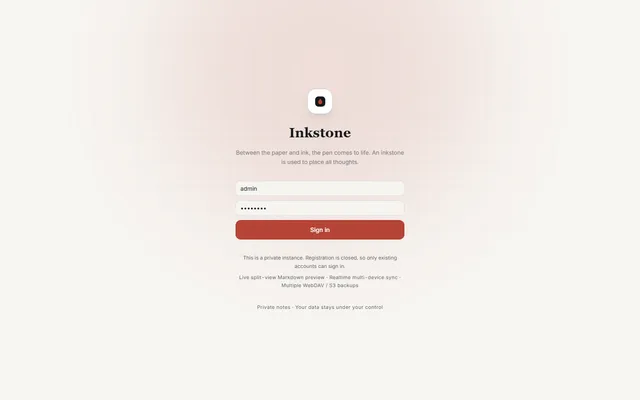
Private Markdown notebook with backlinks, offline sync, MCP access and WebDAV or S3 backups, running on Workers
- Deploy
- Manual
- License
- LGPL-3.0-only
- GitHub stars
- 1.1k stars
- Last commit
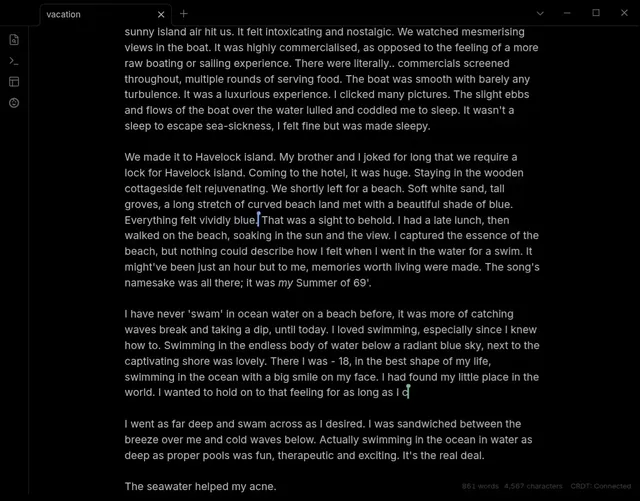
Live Obsidian vault sync over Yjs CRDTs, served by a Worker you deploy and claim in your own Cloudflare account
- Deploy
- One-click
- License
- 0BSD
- GitHub stars
- 1k stars
- Last commit
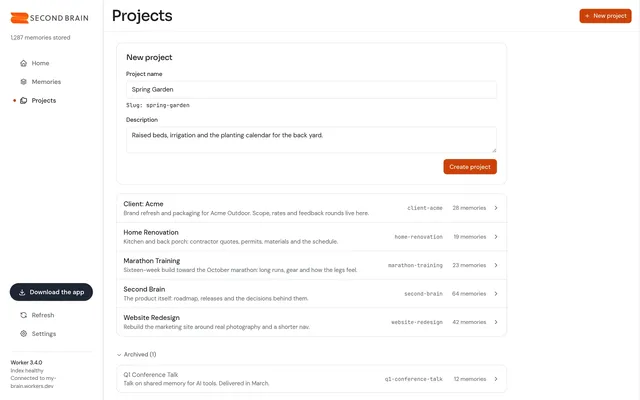
Self-hosted memory store that Claude, ChatGPT, Cursor and other MCP clients share, with recall by meaning
- Deploy
- One-click
- License
- MIT
- GitHub stars
- 802 stars
- Last commit