Inkstone
Private Markdown notebook with backlinks, offline sync, MCP access and WebDAV or S3 backups, running on Workers
Inkstone public demo sign-in screen with the demo account filled in
Inkstone is a browser-based notebook that keeps every note as plain Markdown. It installs as a PWA that keeps working offline, and single notes can be shared as public links with an optional password.
Writing happens in CodeMirror 6. Two notes can sit side by side in separate editor groups, each with its own editor, split or preview layout. The app also has focus and typewriter modes, autosave and version history. The Markdown dialect covers GFM tables and task lists, footnotes, callouts, math, Mermaid diagrams and front matter. Notes connect through WikiLinks, block references and embeds, and every note shows its backlinks; nested folders, tags, favorites, pinning and an archive handle the rest of the organizing. Search runs on D1 full-text indexes, Chinese text included. Each account can also turn on semantic or hybrid search through Workers AI in the MCP settings. Without a connection the app still opens and queues writes, and when edits from two devices collide it creates conflict copies instead of overwriting. A private remote MCP server with OAuth 2.1 and revocable API keys lets AI clients search, read and write notes, with trash access granted separately. Shared links can also carry an expiry date. Notes export as JSON or ZIP, and backups to WebDAV or S3 targets run by hand or on a schedule. One Worker serves the React client from static assets and runs the Hono API. D1 stores accounts, notes, versions, shares and search indexes. Attachments go to R2, or to KV in the alternative KV mode, and a separate KV namespace keeps OAuth grants and tokens. One Durable Object pushes realtime change notifications between clients, and another isolates the key that encrypts backup credentials. Cron triggers run the scheduled backups, attachment cleanup and search indexing. The README's deployment path imports a fork of the repository in the Cloudflare dashboard. On updates, versioned migrations upgrade the existing database, and the owner sees a notice when a newer stable release is out.
Built for: Individuals and small groups who want a private Markdown notebook running on their own Cloudflare account
What you can use it for
- Keep a personal knowledge base with backlinks and a graph view
- Write offline and sync changes across desktop and mobile
- Give an AI assistant scoped access to notes over MCP
- Publish one note behind a password-protected, expiring link
- Back up Markdown notes to WebDAV or S3 on a schedule
Deploy
Manual · main path
Branch main
Fork the repository, choose Continue with GitHub in Workers & Pages and select the fork. Use npm run build as the build command and npm run deploy as the deploy command, or npm run deploy:kv to keep attachments in KV instead of R2.
CLI
Branch main
npm install
npm run deploy
No secrets or resource IDs have to be filled in before the first deploy. R2 mode needs R2 enabled on the account; KV mode avoids R2.
What it needs to run
- Workers AIAI
- D1 databasesinkstone-db
- Durable ObjectsCredentialVault, SyncHub
- KV namespacesOAUTH_KV
- R2 bucketsinkstone-files
Good to know
The first account registered after deployment becomes the owner, so register right away. Further sign-ups stay closed until the owner opens registration. Releases are still pre-1.0 (v0.8.0 in September 2026).
Cost on Cloudflare
Likely fits the free plan
D1, KV, R2, SQLite-backed Durable Objects and cron triggers all have Workers Free plan allowances. Semantic search draws on the Workers AI free allocation of 10,000 Neurons a day; going beyond it needs Workers Paid.
The estimate is based on Cloudflare’s documented limits and the app’s configuration. What you pay depends on your usage and plan.
Where this comes from
- Repositoryhttps://github.com/shuaiplus/inkstone
- App websitehttps://inkstone-demo.pages.dev/
An alternative to Dillinger, Evernote, Joplin, Obsidian, Roam Research, Simplenote, StackEdit.
Listing history
- Oct 2, 2026 · Inkstone listed
Similar apps
All Notes & Knowledge apps
Live Obsidian vault sync over Yjs CRDTs, served by a Worker you deploy and claim in your own Cloudflare account
- Deploy
- One-click
- License
- 0BSD
- GitHub stars
- 1k stars
- Last commit
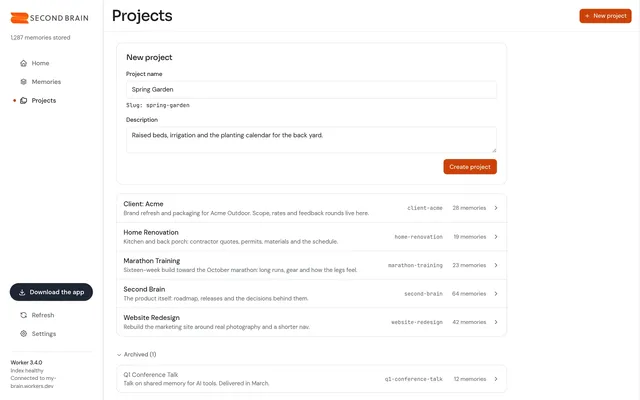
Self-hosted memory store that Claude, ChatGPT, Cursor and other MCP clients share, with recall by meaning
- Deploy
- One-click
- License
- MIT
- GitHub stars
- 802 stars
- Last commit
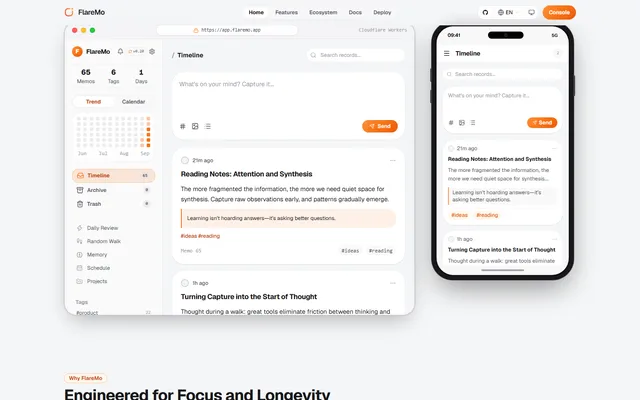
Memos-style quick notes and a shared team knowledge base, with semantic search and long-term memory for AI agents
- Deploy
- One-click
- License
- AGPL-3.0
- GitHub stars
- 303 stars
- Last commit