Skip to content

Self-hosted alternatives to StackEdit

StackEdit is an open-source in-browser Markdown editor with live preview and cloud storage sync. Two listed apps do its main job and run in your own Cloudflare account.

Each answer comes from the app’s README and source code, compared with the features StackEdit describes on its own site.

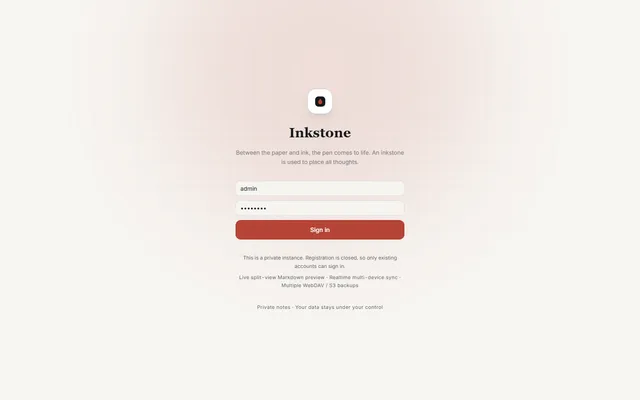
  • Inkstone public demo sign-in screen with the demo account filled in

    Private Markdown notebook with backlinks, offline sync, MCP access and WebDAV or S3 backups, running on Workers
    Deploy
    Manual
    License
    LGPL-3.0-only
    GitHub stars
    1.1k stars
    Last commit
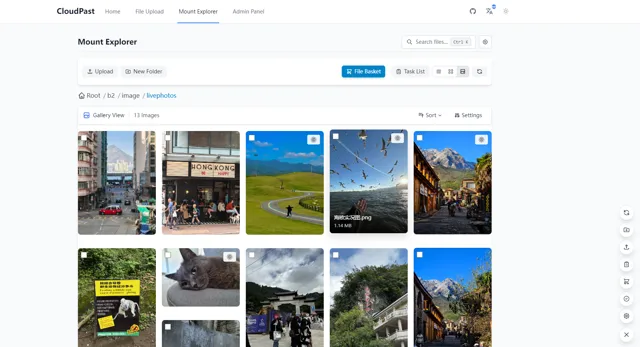
  • CloudPaste Mount Explorer in gallery view, showing photo thumbnails from a Backblaze B2 folder

    Markdown pastebin and multi-storage file manager on Cloudflare Workers, mountable as a WebDAV drive

    Deploy
    Manual
    License
    Apache-2.0
    GitHub stars
    2.7k stars
    Last commit

StackEdit features, app by app

FeatureInkstoneCloudPaste
In-browser Markdown editor with syntax highlightingYesYes
Live preview with scroll syncYesPartly
Sync with Google Drive, Dropbox and GitHubPartlyPartly
Publishing to Blogger, WordPress and ZendeskPartlyPartly
Shared collaborative workspaces with automatic merging of changesNoNo
Inline commentsNoNo
Offline writingYesYes
GFM, LaTeX math and UML diagramsYesYes

Private Markdown notebook with backlinks, offline sync, MCP access and WebDAV or S3 backups, running on Workers

What a StackEdit user would miss
It has no shared editing, no comments, no blog publishing and no cloud drive sync.
What it adds
Runs in your own Cloudflare account in any browser, with an OAuth MCP server and public note links.
  • Yes In-browser Markdown editor with syntax highlighting. A CodeMirror 6 editor with Markdown syntax highlighting.
  • Yes Live preview with scroll sync. Split view with synchronized scrolling.
  • Partly Sync with Google Drive, Dropbox and GitHub. Scheduled WebDAV and S3 backups; no Google Drive, Dropbox or GitHub sync.
  • Partly Publishing to Blogger, WordPress and Zendesk. Public note links with optional passwords and expiry dates; no blog publishing.
  • No Shared collaborative workspaces with automatic merging of changes. Several user accounts but no shared editing found.
  • No Inline comments. No comments found.
  • Yes Offline writing. Installable PWA with offline launch and an offline write queue.
  • Yes GFM, LaTeX math and UML diagrams. GFM, KaTeX math and Mermaid diagrams.

Sources:github.com/shuaiplus/inkstone#featuresstackedit.io/

Markdown pastebin and multi-storage file manager on Cloudflare Workers, mountable as a WebDAV drive

What a StackEdit user would miss
It has no shared editing, no comments and no blog publishing.
What it adds
Pastes with password, expiry and view limit, raw links, and a file manager that mounts R2, S3 and WebDAV storage.
  • Yes In-browser Markdown editor with syntax highlighting. A Vditor editor with Markdown highlighting and several edit modes.
  • Partly Live preview with scroll sync. A split view with a live preview on desktop; synced scrolling not confirmed.
  • Partly Sync with Google Drive, Dropbox and GitHub. Mounts Google Drive, OneDrive, WebDAV and S3 storage in a file manager; the editor saves pastes to the Worker's database.
  • Partly Publishing to Blogger, WordPress and Zendesk. Shareable pastes with password, expiry and view limit, and raw links; no blog publishing.
  • No Shared collaborative workspaces with automatic merging of changes. No shared editing found.
  • No Inline comments. No comments found.
  • Yes Offline writing. PWA install that works offline.
  • Yes GFM, LaTeX math and UML diagrams. GFM, KaTeX math, Mermaid diagrams and mind maps.

Sources:github.com/ling-drag0n/cloudpaste#readmestackedit.io/