YAOS
Live Obsidian vault sync over Yjs CRDTs, served by a Worker you deploy and claim in your own Cloudflare account
Obsidian note on desktop with two live cursors and the YAOS CRDT: Connected status in the footer
YAOS pairs an Obsidian community plugin with a small sync server on Cloudflare Workers and Durable Objects. Edits from every device merge into one live vault state, so they do not turn into conflicted copies. An optional R2 bucket adds attachment sync and snapshots.
The README positions YAOS as a self-deployed alternative to Obsidian Sync, iCloud or Dropbox, and git-based sync plugins. The plugin keeps the CRDT state aligned with the files on disk, so changes that git, shell scripts or AI agents write into the vault propagate to other devices too. Text sync needs no terminal, .env file or database setup. Claiming the server in the browser locks it to one owner and generates the setup token the plugin uses. The button also creates a detached deployment repository, and updates are applied to it as commits through an updater workflow that the plugin settings can set up and run. On Cloudflare the server is a Worker with two SQLite-backed Durable Objects, one holding the CRDT state for each vault and one storing the claim and settings. Adding an R2 bucket turns on sync for images, PDFs and other attachments, daily snapshots, on-demand point-in-time backups, snapshot diffs and selective file restore.
Built for: Obsidian users who want real-time sync across their devices on their own Cloudflare account, set up without a terminal.
What you can use it for
- Sync a vault between desktop and phone on your own Cloudflare account
- Edit the same note on two devices at once and keep both changes
- Take daily snapshots and point-in-time backups of a vault in R2
- Restore single files from a snapshot after a bad edit
- Keep a vault in sync while scripts or AI agents write to it
Deploy
One-click · main path
Branch main
CLI
cd server
npm install
npm run deploy
Deploy with the button, open the Worker URL and click Claim. Then install the YAOS plugin from the Obsidian marketplace and open the setup link or scan the QR code.
What it needs to run
- Durable ObjectsServerConfig, VaultSyncServer
- R2 bucketsyaos
Good to know
Sync works only through the YAOS Obsidian plugin. A sync receipt confirms that the server saved a device's latest state, not that other devices received it. Empty folders and the .obsidian folder with settings and plugins do not sync. Attachments over 10 MB are skipped by default.
Cost on Cloudflare
Likely fits the free plan
Workers Free supports the SQLite-backed Durable Objects the server uses and allows 100,000 requests per day. Durable Object storage on Free is capped at 5 GB per account, with 100,000 rows written per day. R2's free allowance is account-wide: 10 GB-month of storage, 1 million Class A and 10 million Class B operations per month.
The estimate is based on Cloudflare’s documented limits and the app’s configuration. What you pay depends on your usage and plan.
Where this comes from
- Repositoryhttps://github.com/kavinsood/yaos
- App websitehttps://yaos.dev
- Documentationhttps://github.com/kavinsood/yaos/blob/main/docs/operations.md
An alternative to Obsidian Sync.
Listing history
- Oct 2, 2026 · YAOS listed
Similar apps
All Notes & Knowledge apps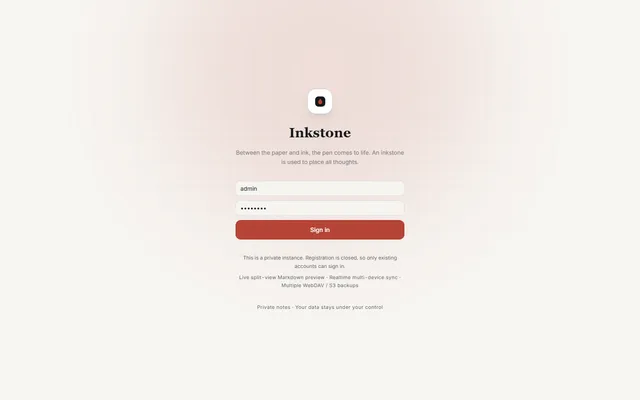
Private Markdown notebook with backlinks, offline sync, MCP access and WebDAV or S3 backups, running on Workers
- Deploy
- Manual
- License
- LGPL-3.0-only
- GitHub stars
- 1.1k stars
- Last commit
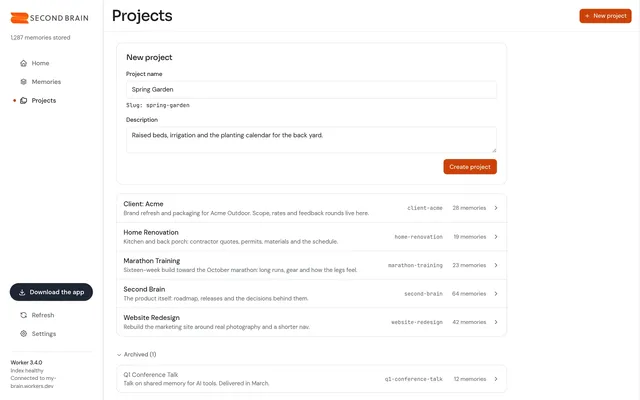
Self-hosted memory store that Claude, ChatGPT, Cursor and other MCP clients share, with recall by meaning
- Deploy
- One-click
- License
- MIT
- GitHub stars
- 802 stars
- Last commit
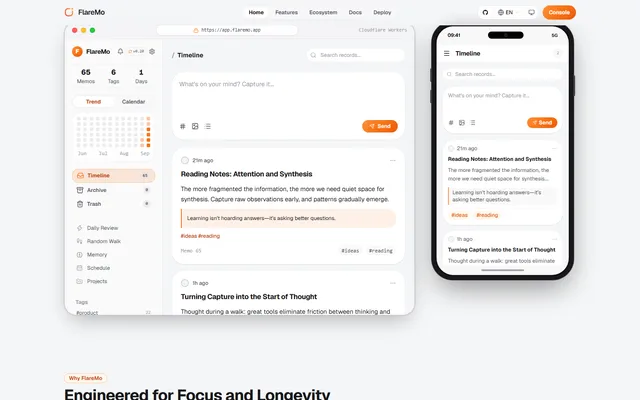
Memos-style quick notes and a shared team knowledge base, with semantic search and long-term memory for AI agents
- Deploy
- One-click
- License
- AGPL-3.0
- GitHub stars
- 303 stars
- Last commit