Skip to content

Self-hosted alternatives to Obsidian Sync

Obsidian Sync is the paid first-party service that syncs Obsidian vaults across devices with end-to-end encryption, version history and shared vaults. Two listed apps do its main job and run in your own Cloudflare account.

Each answer comes from the app’s README and source code, compared with the features Obsidian Sync describes on its own site.

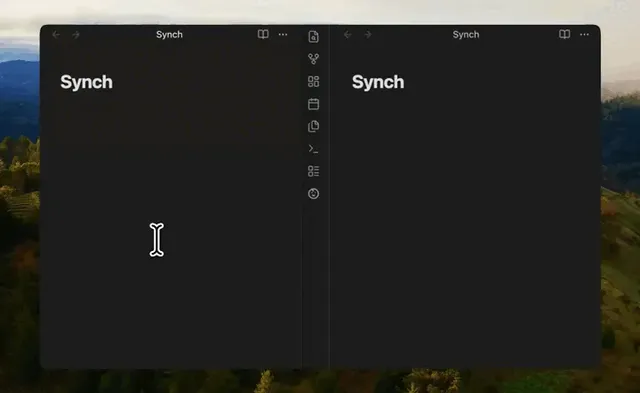
  • Animated preview of two Obsidian windows side by side, each open on a note titled Synch

    End-to-end encrypted sync for Obsidian vaults, with a sync server you can deploy to your own Cloudflare account
    Deploy
    One-click
    License
    MIT
    GitHub stars
    258 stars
    Last commit
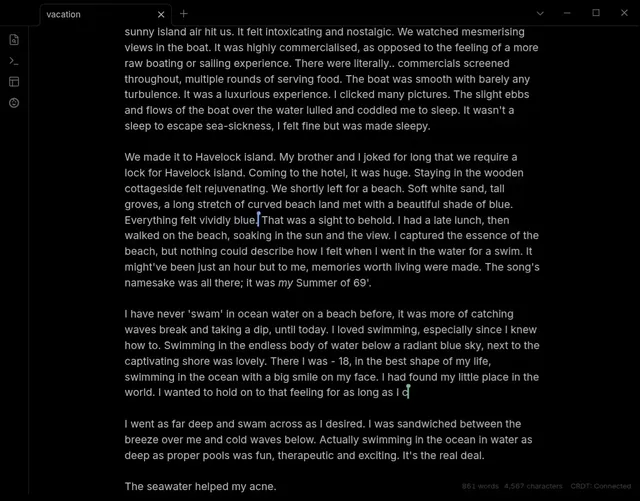
  • Obsidian note on desktop with two live cursors and the YAOS CRDT: Connected status in the footer

    Live Obsidian vault sync over Yjs CRDTs, served by a Worker you deploy and claim in your own Cloudflare account

    Deploy
    One-click
    License
    0BSD
    GitHub stars
    1k stars
    Last commit

Obsidian Sync features, app by app

FeatureSynchYAOS
End-to-end encrypted sync across devicesYesNo
Desktop and mobile supportYesYes
Version history for notesYesPartly
Offline editing that merges when back onlineYesYes
Selective sync of folders and file typesYesPartly
Sync of vault settings, themes, plugins and hotkeysPartlyNo
Restore of deleted filesYesPartly
Shared vaults for teamsYesNo

End-to-end encrypted sync for Obsidian vaults, with a sync server you can deploy to your own Cloudflare account

What a Obsidian Sync user would miss
Sync runs only while Obsidian is open and the vault configuration sync is experimental, and Synch is not affiliated with Obsidian.
What it adds
The sync server is MIT licensed and can run in your own Cloudflare account as one Worker with D1, R2 and a Durable Object, with Synch Cloud as a hosted option.
  • Yes End-to-end encrypted sync across devices. Vault contents and file paths are encrypted on the device before upload (README)
  • Yes Desktop and mobile support. The README lists desktop and mobile Obsidian support through a community plugin.
  • Yes Version history for notes. Encrypted version history with restore of previous versions (README)
  • Yes Offline editing that merges when back online. Non-overlapping Markdown edits merge automatically and overlapping edits become conflict copies; sync runs only while Obsidian is open.
  • Yes Selective sync of folders and file types. Per-device folder exclusions, with Markdown, images, audio, video and PDFs synced by default and other files excludable.
  • Partly Sync of vault settings, themes, plugins and hotkeys. A vault configuration sync covers main settings, appearance, themes and snippets, hotkeys and plugin lists and data, but the plugin labels it experimental.
  • Yes Restore of deleted files. Deleted files can be listed, previewed and restored from encrypted history (plugin source)
  • Yes Shared vaults for teams. Vault sharing through organizations with key approval by an administrator, and the plugin text says self-hosted sharing is included.

Sources:github.com/hjinco/synchsynch.run/self-hostingobsidian.md/sync

Live Obsidian vault sync over Yjs CRDTs, served by a Worker you deploy and claim in your own Cloudflare account

What a Obsidian Sync user would miss
It has no end-to-end encryption, does not sync Obsidian settings or plugins, has no shared vaults, and its history is snapshot based and needs R2.
What it adds
Edits from several devices merge live through Yjs CRDTs instead of producing conflicted copies, and the server is a Worker the reader deploys and claims in their own Cloudflare account.
  • No End-to-end encrypted sync across devices. No client-side encryption layer found in the source or docs; vault state is kept as Yjs data in Durable Objects in your account.
  • Yes Desktop and mobile support. The manifest sets isDesktopOnly to false and the README shows live sync between desktop and phone.
  • Partly Version history for notes. Daily snapshots and on-demand point-in-time backups with diffs need an R2 bucket; no per-note revision history found.
  • Yes Offline editing that merges when back online. Yjs state is persisted in IndexedDB and edits merge as CRDTs, including changes made on disk while Obsidian was closed (sync contract doc)
  • Partly Selective sync of folders and file types. Exclude paths and size limits for text files and attachments; no per-type toggles found.
  • No Sync of vault settings, themes, plugins and hotkeys. The .obsidian folder is not synchronized (sync contract doc)
  • Partly Restore of deleted files. Tombstones stop stale devices from recreating deleted files, and single files can be restored from a snapshot when R2 is set up; no deleted-files list found.
  • No Shared vaults for teams. The server is claimed by one owner and collaboration is listed as outside the main branch (backlog doc)

Sources:github.com/kavinsood/yaosgithub.com/kavinsood/yaos/blob/main/docs/sync-contract.mdyaos.dev