Skip to content

Self-hosted alternatives to SavvyCal

SavvyCal is a scheduling tool that lets people share booking links on which invitees can overlay their own calendar to pick a time. Two listed apps do its main job and run in your own Cloudflare account.

Each answer comes from the app’s README and source code, compared with the features SavvyCal describes on its own site.

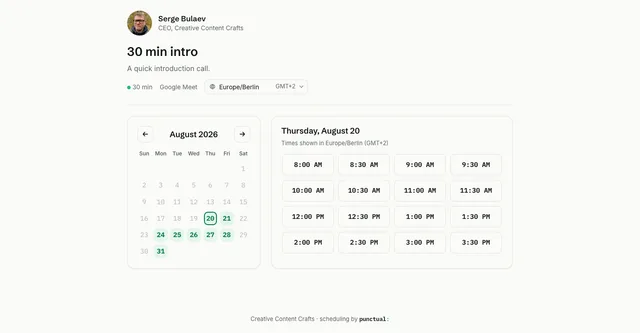
  • Punctual booking page for a 30-minute intro call, with an August 2026 date picker and open half-hour slots

    Open-source Calendly alternative for a single team, with booking pages, calendar sync and team scheduling on Workers
    Deploy
    CLI
    License
    MIT
    GitHub stars
    117 stars
    Last commit
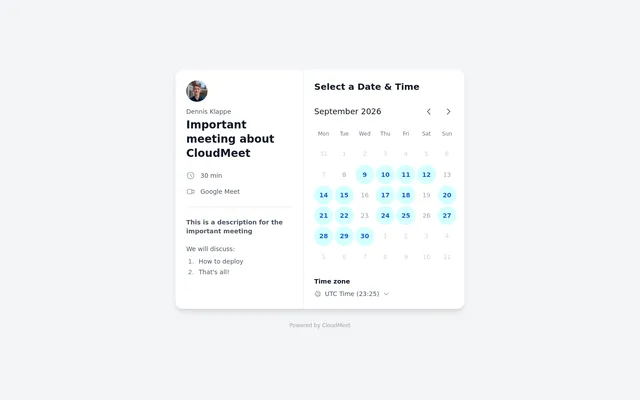
  • CloudMeet booking page for a 30-minute Google Meet event, with open dates on a month calendar

    Self-hosted booking page and Calendly alternative with Google Calendar and Outlook sync, on Cloudflare Pages

    Deploy
    Manual
    License
    MIT
    GitHub stars
    541 stars
    Last commit

SavvyCal features, app by app

FeaturePunctualCloudMeet
Calendar overlay for inviteesNoNo
Booking links that check your calendarsYesYes
Buffers and day, week and month limitsPartlyNo
Preferred slots and clustered meetingsNoNo
Round-robin and collective team schedulingYesNo
Group mode with several invitees in one slotNoNo
Meeting pollsNoNo
Payments through StripeNoNo

Open-source Calendly alternative for a single team, with booking pages, calendar sync and team scheduling on Workers

Who it suits
Independent consultants and small teams who use SavvyCal for booking links with buffers and notice rules and for round-robin or collective team links, and who do not need the calendar overlay or payments.
What a SavvyCal user would miss
The invitee calendar overlay, preferred slots, weekly and monthly meeting limits, group mode, meeting polls and Stripe payments. The open-source build covers one team, it is pre-1.0, and emails are only logged until Resend, Brevo or Cloudflare Email Service is set up.
What it adds
It runs as one Worker with D1, KV, R2, Durable Objects and a queue in your own Cloudflare account, the MIT-licensed build has no seat limits, and it adds a REST API, HMAC-signed webhooks, an embed widget and a built-in MCP server.
  • No Calendar overlay for invitees. No invitee calendar overlay; guests pick a time on the booking page and can change their time zone.
  • Yes Booking links that check your calendars. Booking pages check Google Calendar and Microsoft 365 busy times, and double-booking is blocked in the database.
  • Partly Buffers and day, week and month limits. Buffers before and after, minimum notice, a booking horizon and a daily cap per event type; no weekly or monthly caps.
  • No Preferred slots and clustered meetings. No preferred slot or clustering setting found.
  • Yes Round-robin and collective team scheduling. Round-robin and collective event types with required and optional hosts.
  • No Group mode with several invitees in one slot. One guest per slot; no multi-guest events found.
  • No Meeting polls. No meeting polls found.
  • No Payments through Stripe. No payment code found.

Sources:github.com/cccrafts/punctual/blob/main/README.mdgithub.com/cccrafts/punctual/blob/main/src/core/domain/types.tsgithub.com/cccrafts/punctual/blob/main/src/adapters/scheduled.tsgithub.com/cccrafts/punctual/blob/main/src/http/embed.tspunctual.sh

Self-hosted booking page and Calendly alternative with Google Calendar and Outlook sync, on Cloudflare Pages

Who it suits
Individuals who use SavvyCal as a plain booking link tied to a Google or Outlook calendar and do not use limits, team links or the overlay.
What a SavvyCal user would miss
The invitee calendar overlay, buffers and limits, preferred slots, team links, group mode, meeting polls and payments. Only one Google account can sign in as the admin, and booking emails need an Emailit API key.
What it adds
It runs on Cloudflare Pages with D1 and KV in your own account, deployed from a GitHub template, and a host can propose a new time for an existing booking that the guest accepts or declines from an emailed link.
  • No Calendar overlay for invitees. No invitee calendar overlay found.
  • Yes Booking links that check your calendars. Public booking page for each event type that checks Google and Outlook busy times and existing bookings.
  • No Buffers and day, week and month limits. The schema has a buffer column that no code reads; weekly working hours only, and no limits found.
  • No Preferred slots and clustered meetings. No preferred slot setting found.
  • No Round-robin and collective team scheduling. One admin account only; no team scheduling.
  • No Group mode with several invitees in one slot. One guest per booking; no group events found.
  • No Meeting polls. No meeting polls found.
  • No Payments through Stripe. No payment code found.

Sources:github.com/dennisklappe/cloudmeet/blob/main/README.mdgithub.com/dennisklappe/cloudmeet/blob/main/schema.sqlgithub.com/dennisklappe/cloudmeet/blob/main/src/routes/api/availability/%2Bserver.tsgithub.com/dennisklappe/cloudmeet/blob/main/src/routes/api/bookings/%2Bserver.tsgithub.com/dennisklappe/cloudmeet/blob/main/src/routes/api/cron/send-reminders/%2Bserver.ts