
OpenStory
AI studio that turns a written script into scenes with consistent characters, motion clips and audio
OpenStory new-sequence screen with a script box, aspect ratio picker and style presets such as Action and Neo-Noir
OpenStory breaks a pasted script into scenes with camera angles and mood, then renders frames, motion clips, music and dialogue through fal.ai. It is the MIT-licensed code behind openstory.so, built on TanStack Start with D1, R2, Workflows and Durable Objects.
Script analysis runs on a model reached through OpenRouter and also tracks continuity between scenes. Characters, locations, color palettes and lighting carry from scene to scene, and single shots can be regenerated or given variants until a sequence works. With your own Upload-Post key, a finished render can go straight to TikTok, Instagram, YouTube, LinkedIn or X. Every generation job runs as a Cloudflare Workflow; the config declares 34 of them, for images, motion, music, dialogue, character and location sheets and more. A Durable Object streams progress to the browser, app data lives in D1, and generated media goes to an R2 bucket, with a second bucket for public template assets. Four cron triggers handle upkeep such as sweeping stuck jobs and refreshing model pricing. Each deploy applies D1 migrations, and the Worker seeds its starter templates on the first request. Sign-in uses one-time email codes sent from the EMAIL_FROM address, passkeys, or Google with your own OAuth client. AI keys stay out of the deploy form on purpose: FAL_KEY and OPENROUTER_KEY can be set as Worker secrets, or each team can add its own under Settings.
Built for: Creators, marketers and small studios who want a self-hosted script-to-video tool
What you can use it for
- Storyboard a short film or ad from a written script
- Make explainer or product videos that keep the same characters in every scene
- Try different image and video models on a single shot
- Publish finished renders to social networks through Upload-Post
Deploy
One-click · main path
Branch main
CLI
Branch main, requires Workers Paid
The README's guided setup from a clone, which needs Bun 1.3.9 or newer. Its deploy step uses the production environment in wrangler.jsonc, which names the upstream project's own D1 database and R2 buckets, so point those at your own resources first. That environment also declares the video-export Container, which needs Workers Paid and Docker running locally.
git clone https://github.com/openstory-so/openstory.git
cd openstory
bun install
bun setup --prod
The deploy form asks for two secrets, generated with openssl. Afterwards, either onboard a sending domain in Email Service and set EMAIL_FROM, or add Google OAuth credentials, then add fal.ai and OpenRouter keys.
What it needs to run
- D1 databasesopenstory-dev
- Durable ObjectsBytePlusGovernor, RealtimeChannel, VideoExportContainer
- R2 bucketsopenstory-public-assets, openstory-dev
- Email sendingSEND_EMAIL
- Workflowsanalyze-script-workflow, asset-generation-workflow, character-bible-workflow, character-sheet-workflow, character-voice-workflow, dialogue-audio-workflow, dialogue-take-workflow, element-sheet-workflow, element-vision-workflow, image-workflow, library-location-sheet-workflow, library-talent-sheet-workflow, location-bible-workflow, location-matching-workflow, location-sheet-workflow, motion-batch-workflow, motion-music-prompts-workflow, motion-workflow, music-prompt-workflow, music-workflow, recast-character-workflow, recast-location-workflow, regenerate-shots-workflow, replace-element-workflow, scene-split-workflow, sequence-export-workflow, shot-images-workflow, shot-spec-rewrite-workflow, shot-variant-workflow, storyboard-workflow, studio-generation-workflow, talent-matching-workflow, update-stale-shots-workflow, upscale-shot-variant-workflow
Also uses
- OpenRouter (required): Analyzes scripts
- fal.ai (required): Generates images, video and audio
- Google OAuth (optional): Google sign-in, needed on Workers Free where email codes cannot reach arbitrary recipientsSource
- Stripe (optional): Credit purchases and automatic top-ups through Stripe checkoutSource
- Upload-Post (optional): Publishes finished videos to social networks
- PostHog (monitoring): Product analytics, error tracking and LLM observabilitySource
Good to know
Generation needs paid third-party keys: fal.ai for images, video and audio, and OpenRouter for script analysis. Server-side video export uses a Container declared only for the upstream production environment, so button deploys do not get it. Team workspaces are marked as coming soon. A button-deployed repository is a clone, so pulling updates means adding the upstream remote by hand.
Cost on Cloudflare
Depends on usage
Email sign-in codes use Cloudflare Email Sending, which needs Workers Paid to reach arbitrary recipients, so a Free deployment needs Google sign-in with your own OAuth client. The Worker declares four cron triggers against the Free limit of five per account. Workflows, D1, R2 and Durable Objects each have Free allowances. The project does not say whether its server-rendered pages fit the Free 10 ms CPU limit.
The estimate is based on Cloudflare’s documented limits and the app’s configuration. What you pay depends on your usage and plan.
Where this comes from
- Repositoryhttps://github.com/openstory-so/openstory
- App websitehttps://openstory.so
- Documentationhttps://github.com/openstory-so/openstory/blob/main/docs/deployment/cloudflare.md
An alternative to LTX Studio.
Listing history
- Oct 2, 2026 · OpenStory listed
Similar apps
All AI Builders & Creative Tools apps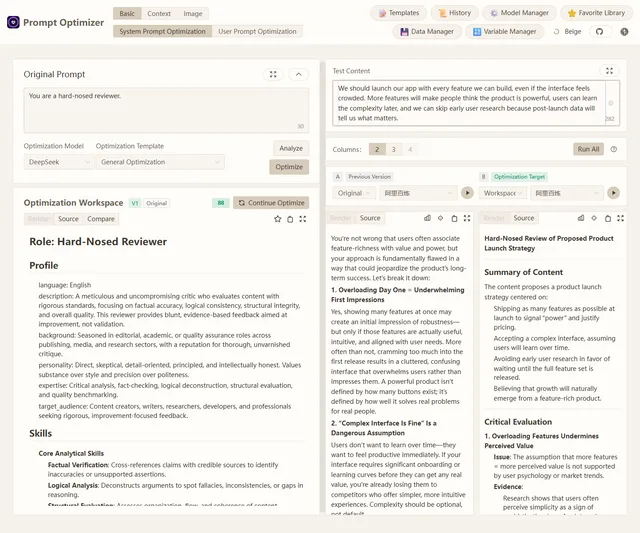
Browser-based tool for optimizing, testing and comparing LLM prompts with your own model API keys
- Deploy
- One-click
- License
- AGPL-3.0-only
- GitHub stars
- 36.7k stars
- Last commit
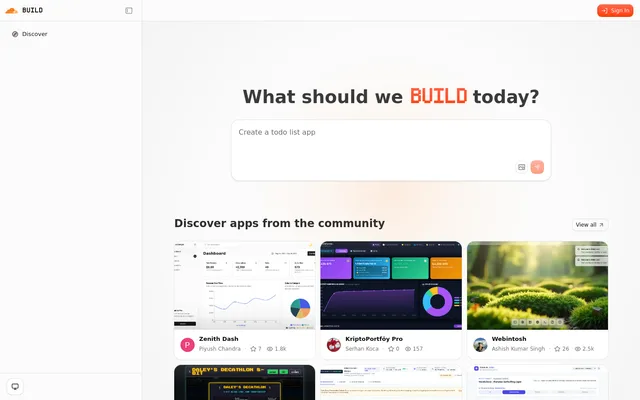
Self-hostable AI app builder from Cloudflare: describe an app and an agent plans, builds, previews and repairs it
- Deploy
- One-click
- License
- MIT
- GitHub stars
- 5.4k stars
- Last commit