
Rin
Self-hosted blog with a browser editor, comments and RSS, deployed to your Cloudflare account by GitHub Actions
Rin blog home page with article cards, cover images, tags and reading times (Chinese-language demo blog)
Rin runs a personal blog from one Cloudflare Worker backed by a D1 database. Posts can be public, unlisted or visible only to the author. A GitHub Actions workflow in a fork handles every deploy.
Writing in Rin happens in the browser. The editor autosaves a local draft per article, uploads pasted or dropped images to R2 or another S3-compatible bucket, and turns tags typed inline, such as #Blog #Cloudflare, into post tags. A post can carry a custom slug like /about or stay off the homepage list as an unlisted post. Posts visible only to the author work as private drafts and notes that sync across devices. The first image in a post becomes its cover in listings. The author can reply to or delete comments. The blogroll lists friends' sites, and a cron trigger checks every 20 minutes whether those links still respond. A webhook sends a notification to a bot, chat service or automation tool for each new comment and each new blogroll request. RSS, Atom and JSON feeds are built in. Posts can also get AI summaries from Workers AI or an external OpenAI-compatible provider, set up in the admin settings. Sign-in uses a username and password set at deploy time, GitHub OAuth, or both. One Worker serves the frontend as static assets alongside the API, with D1 holding content and a Queue handling background tasks. The Build workflow creates the D1 database and the queue if they do not exist, applies migrations and deploys. Syncing the fork with upstream later runs the same pipeline, which is how updates arrive.
Built for: Individual writers and developers who want a self-hosted blog with comments on Cloudflare and are comfortable adding GitHub Actions secrets.
What you can use it for
- Run a personal or developer blog on your own domain without managing a server
- Keep private drafts and notes next to published posts
- Host a blog with built-in comments instead of a third-party comment service
- Maintain a blogroll that flags friends' sites when they stop responding
- Get comment alerts in a chat tool through a webhook
Deploy
Manual
Fork the repository, add CLOUDFLARE_API_TOKEN, CLOUDFLARE_ACCOUNT_ID, JWT_SECRET, ADMIN_USERNAME and ADMIN_PASSWORD as Actions secrets, then run the Build workflow, which creates the D1 database and queue and deploys. For image uploads, set the R2_BUCKET_NAME variable to a bucket you created.
The deploy guide puts the whole setup at 10 to 15 minutes, including a workflow run of about 3 to 5 minutes.
What it needs to run
Also uses
- GitHub OAuth (optional): Lets the author and readers sign in with GitHubSource
Good to know
Image uploads need storage you set up: an R2 bucket you create and name in the R2_BUCKET_NAME variable, or another S3-compatible bucket with access keys. With GitHub OAuth, the first user to sign in becomes the administrator and later users join as regular members. If an automatic database migration fails, the docs direct you to run the SQL files by hand in the D1 console. The README and deploy guide still describe a separate Pages frontend; the current deploy script serves the frontend from the same Worker as the API. The README and docs are in English and Chinese; the public demo is a Chinese-language blog.
Cost on Cloudflare
Likely fits the free plan
The deploy guide states that the Cloudflare free plan is enough. D1, cron triggers and Queues (10,000 operations a day) are included in Workers Free; an R2 bucket for images has its own free allowance.
The estimate is based on Cloudflare’s documented limits and the app’s configuration. What you pay depends on your usage and plan.
Where this comes from
- Repositoryhttps://github.com/openRin/Rin
- App websitehttps://docs.openrin.org
- Documentationhttps://docs.openrin.org/en/guide/deploy.html
- Demohttps://xeu.life
Listing history
- Oct 3, 2026 · Rin listed
Similar apps
All CMS & Publishing apps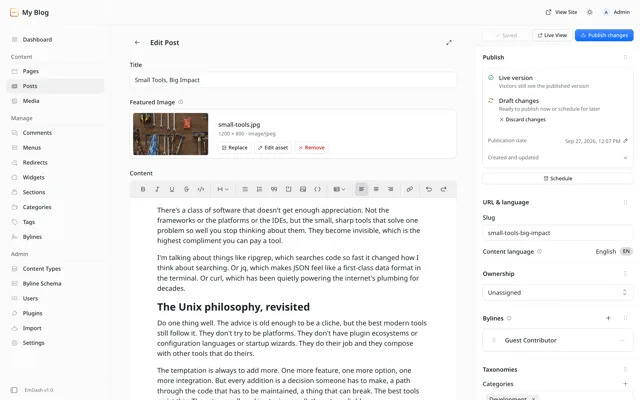
Open-source Astro CMS from Cloudflare for blogs and marketing sites, with a WordPress-style admin and sandboxed plugins
- Deploy
- One-click
- License
- MIT
- GitHub stars
- 13.4k stars
- Last commit
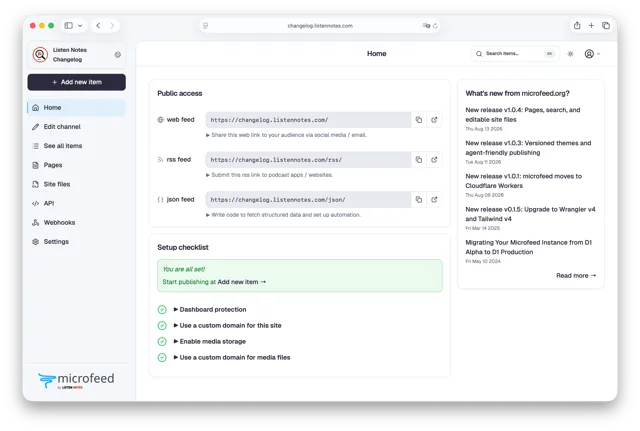
Self-hosted CMS that publishes podcasts, posts, photos and links as a website, RSS feed and JSON Feed on Cloudflare
- Deploy
- CLI
- License
- AGPL-3.0
- GitHub stars
- 4.1k stars
- Last commit
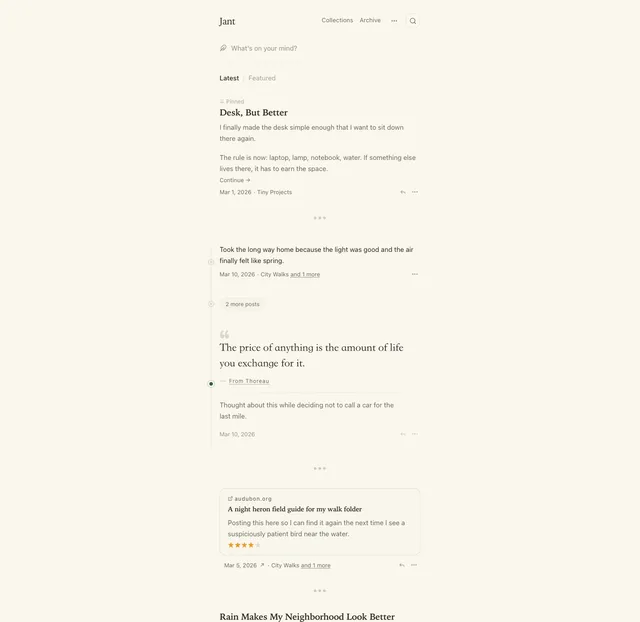
Tumblr-style microblog for one author, with notes, links, quotes, threads and two-way sync to a Hugo repo on GitHub
- Deploy
- One-click
- License
- AGPL-3.0-or-later
- GitHub stars
- 77 stars
- Last commit