EmDash
Open-source Astro CMS from Cloudflare for blogs and marketing sites, with a WordPress-style admin and sandboxed plugins
EmDash admin Edit Post screen with the rich text editor, featured image and a Publish panel for scheduling
Cloudflare presents EmDash as the spiritual successor to WordPress: an Astro integration that adds an admin panel, media library, passkey sign-in and sandboxed plugins to a TypeScript site. The Deploy to Cloudflare button sets up its blog template on Workers, with content in D1 and media in R2. Version 1.0 shipped in September 2026.
Each sandboxed EmDash plugin declares capabilities such as content:read or email:send in a manifest, then runs in its own Worker isolate through Cloudflare's Dynamic Worker Loader and can use only what it declared. The README contrasts this with WordPress, where plugins have full access to the database, the filesystem and user data. Cloudflare announced the project in April 2026 and runs the Cloudflare Blog on it. Editors get a familiar admin panel for posts, pages, media and menus, with drafts, revisions and scheduled publishing. New content types come from a schema builder in the admin, and each one gets a real SQL table. Rich text is stored as Portable Text JSON rather than HTML. Sign-in is passkey-first, with OAuth and magic links as fallbacks. There are four roles: Administrator, Editor, Author and Contributor. A WordPress importer brings in posts, pages, media and taxonomies from WXR exports, the WordPress REST API or WordPress.com. Every site also exposes an MCP server for AI tools. The Deploy to Cloudflare button builds the official blog template from the emdash-cms/templates repository. Its Wrangler config binds a D1 database for content and an R2 bucket for media and runs a Cron Trigger every minute, which publishes scheduled entries. The Astro Cloudflare adapter adds a KV namespace for sessions and an Images binding for resizing. EmDash applies its migrations on the first request. Native plugins, installed from npm through the Astro config, run in the same process as the site and do not need the Worker Loader binding. EmDash also runs on Node.js with SQLite, PostgreSQL or Turso and S3-compatible storage.
Built for: Developers, solo founders and small teams who want a blog or marketing site with a browser-based editor, hosted in their own Cloudflare account
What you can use it for
- Run a startup blog where authors draft posts and editors schedule them
- Move a WordPress site's posts, pages and media off PHP hosting
- Launch a marketing or portfolio site from an official template
- Edit site content from Claude or ChatGPT through the MCP server
- Install third-party plugins limited to the permissions they declare, on Workers Paid
Deploy
One-click
Deploys the official blog-cloudflare template from emdash-cms/templates, which is synced from the main repository.
The Deploy button asks for no secrets. The setup wizard at /_emdash/admin then asks for a site title and admin email and registers a passkey. Run it on the final domain, or set EMDASH_SITE_URL first.
What it needs to run
Also uses
- GitHub OAuth (optional): Sign-in with GitHub through your own OAuth app
- Google OAuth (optional): Sign-in with Google through your own OAuth client
- Mailgun (optional): Email delivery through the community emdash-smtp plugin
- Microsoft Entra ID (optional): Microsoft sign-in, supported since EmDash 1.1
- Postmark (optional): Email delivery through the community emdash-smtp plugin
- Resend (optional): Email delivery through the community emdash-smtp plugin
- SendGrid (optional): Email delivery through the community emdash-smtp plugin
Good to know
The template leaves the Worker Loader binding commented out, so sandboxed plugins, including every plugin installed from the registry, do not run until it is enabled. Passkeys work only on the address where they were created; after a domain move, users sign in with an email link and add a new passkey. Magic links and emailed invites need an email provider such as Cloudflare Email Sending; without one, admins copy invite links by hand. Plugin settings marked as secrets need an EMDASH_ENCRYPTION_KEY Worker secret. Sign-in with GitHub, Google or Microsoft needs your own OAuth app credentials.
Cost on Cloudflare
Depends on usage
The default blog template deploys on Workers Free: D1, R2, KV, the Images binding and Cron Triggers all have free allowances. D1 Free allows 5 million rows read and 100,000 rows written per day and fails queries past either limit. Images Free covers 5,000 unique transformations a month, and new transformations fail after that. Sandboxed and registry plugins need Dynamic Workers, which are only on Workers Paid. The project does not say whether server-rendered pages fit the Free plan's 10 ms CPU limit.
The estimate is based on Cloudflare’s documented limits and the app’s configuration. What you pay depends on your usage and plan.
Where this comes from
- Repositoryhttps://github.com/emdash-cms/emdash
- Documentationhttps://docs.emdashcms.com/
- App websitehttps://emdashcms.com
- Demohttps://try.emdashcms.com
An alternative to Blogger, Ghost(Pro), WordPress.
Listing history
- Oct 2, 2026 · EmDash listed
Similar apps
All CMS & Publishing apps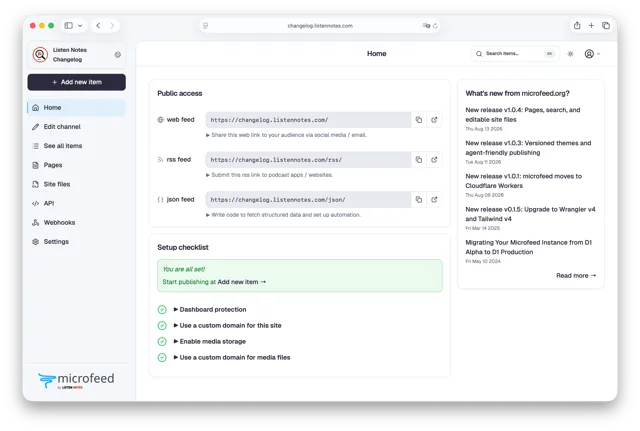
Self-hosted CMS that publishes podcasts, posts, photos and links as a website, RSS feed and JSON Feed on Cloudflare
- Deploy
- CLI
- License
- AGPL-3.0
- GitHub stars
- 4.1k stars
- Last commit
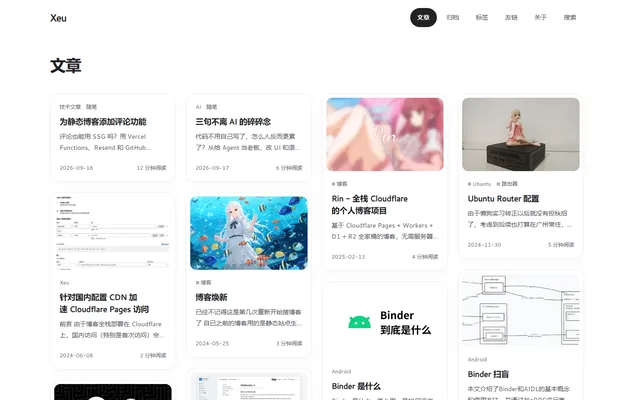
Self-hosted blog with a browser editor, comments and RSS, deployed to your Cloudflare account by GitHub Actions
- Deploy
- Manual
- License
- MIT
- GitHub stars
- 3.1k stars
- Last commit
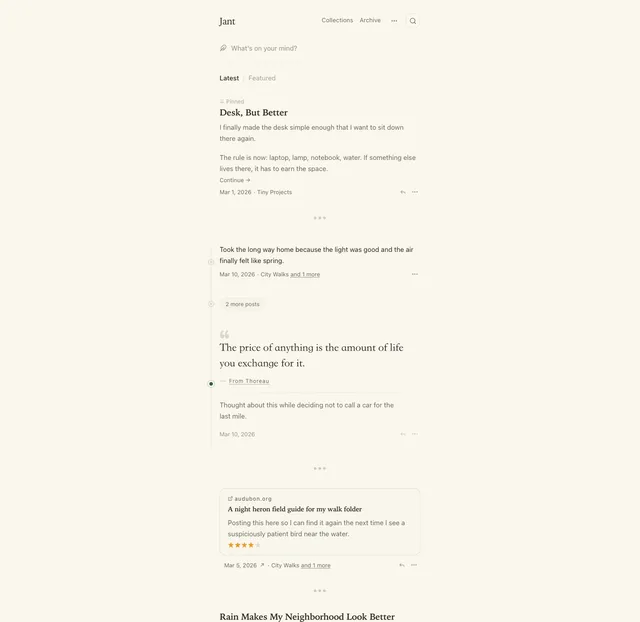
Tumblr-style microblog for one author, with notes, links, quotes, threads and two-way sync to a Hugo repo on GitHub
- Deploy
- One-click
- License
- AGPL-3.0-or-later
- GitHub stars
- 77 stars
- Last commit