Mailroom
Shared email inbox for people and AI agents, with reply drafts held for approval and a built-in MCP server
Mailroom unified inbox across three addresses, with an agent draft awaiting approval
Mailroom collects mail for several addresses and domains in one Gmail-style web app, where people read and reply. It receives through Email Routing and replies through Cloudflare Email Sending, all from one Worker in your own Cloudflare account.
You read from a unified inbox or a per-Inbox view, with conversations threaded by their In-Reply-To and References headers. New mail and replies can carry attachments. The app also has full-text search, unread and draft filters, bulk archive and opt-in Web Push notifications. The Worker rejects mail sent to an address you have not added as an Inbox in Settings. AI features start switched off and are configured per Inbox. Drafting uses your base instructions and playbooks to write a reply to the latest inbound message, and that draft waits for your approval; Mailroom never sends it on its own. Natural-language label rules tag incoming mail. The Worker flags auto-submitted and bulk senders so they never get automated replies. External agents connect to /mcp over OAuth 2.1 with scoped read and send access. Every send carries an idempotency key, and each identity is capped at 100 MCP sends per day by default. A single Worker serves the React app, the Hono API, the inbound email handler, the draft queue consumer and the MCP server. D1 stores inboxes, conversations and settings, R2 keeps raw MIME and attachments, Queues retry draft jobs with a dead-letter queue, and KV holds MCP OAuth state. The AI binding calls the drafting and labeling models. Cloudflare Access guards the web app; the API verifies Access JWTs and fails closed when they are missing. The Deploy to Cloudflare button provisions the storage, queues and KV namespace, and the deploy script applies migrations and creates Web Push keys.
Built for: Solo founders and small teams with a domain on Cloudflare who want a private shared inbox that people and AI agents both work from.
What you can use it for
- Run support@ and hello@ for a product domain from one shared web inbox
- Review AI-drafted replies before they reach customers
- Let an MCP client search conversations and send mail from a registered Inbox
- Tag inbound guest-post or link-exchange pitches with natural-language label rules
Deploy
One-click · main path
Branch main, requires Workers Paid
CLI
Branch main, requires Workers Paid
Resource commands come from the manual setup in docs/deployment.md, which then deploys through Workers Builds with npm run deploy as the deploy command.
git clone https://github.com/wong2/cf-mailroom.git
cd cf-mailroom
npm ci
npx wrangler login
npx wrangler d1 create mailroom
npx wrangler r2 bucket create mailroom-raw
npx wrangler queues create mailroom-drafts
npx wrangler queues create mailroom-drafts-dlq
npm run deploy
After the button deploy, enable Cloudflare Access and add the two Worker variables the setup screen shows. Then turn on Email Routing and Email Sending for the domain, add an Inbox in Settings and route its address to the Worker.
What it needs to run
- Workers AIAI
- D1 databasesmailroom
- KV namespacesOAUTH_KV
- Queues (consumer)mailroom-drafts
- Queues (producer)mailroom-drafts-dlq, mailroom-drafts
- R2 bucketsmailroom-raw
- Email sendingEMAIL
Good to know
Replies can go out only after the sender domain is onboarded to Cloudflare Email Sending. The default drafting model (openai/gpt-6-luna) and labeling model (typesafe/jev) are third-party models from Cloudflare's AI catalog; Settings accepts a Workers AI model id for drafting instead. New mail goes to one recipient at a time, and outbound attachments are capped at 3 MB in total. Conversations do not show delivery or bounce status yet. MCP clients need an extra Access Bypass application. Upstream fixes do not arrive automatically; you merge them into the repository the button created.
Cost on Cloudflare
Paid Cloudflare plan required
Receiving mail works on Free: inbound Email Routing is unlimited on all plans, and D1, R2, KV and Queues (10,000 operations per day) have Workers Free allowances. Replying to arbitrary recipients through Email Sending requires Workers Paid ($5 per month with 3,000 emails included, then $0.35 per 1,000). AI Gateway credits for the default third-party models carry a 5% purchase fee.
The estimate is based on Cloudflare’s documented limits and the app’s configuration. What you pay depends on your usage and plan.
Where this comes from
- Repositoryhttps://github.com/wong2/cf-mailroom
- Documentationhttps://github.com/wong2/cf-mailroom/blob/main/docs/deployment.md
An alternative to Gmail.
Listing history
- Oct 2, 2026 · Mailroom listed
Similar apps
All Customer Support & Shared Inbox apps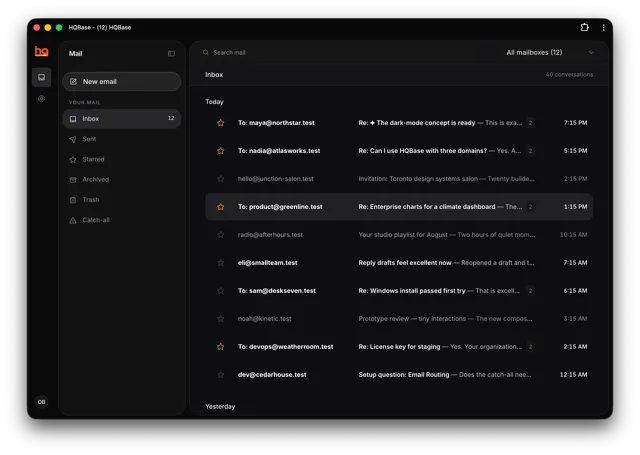
Shared team inbox for support@ and sales@ addresses on several domains, with access controls and an MCP server
- Deploy
- One-click
- License
- AGPL-3.0-only
- GitHub stars
- 337 stars
- Last commit
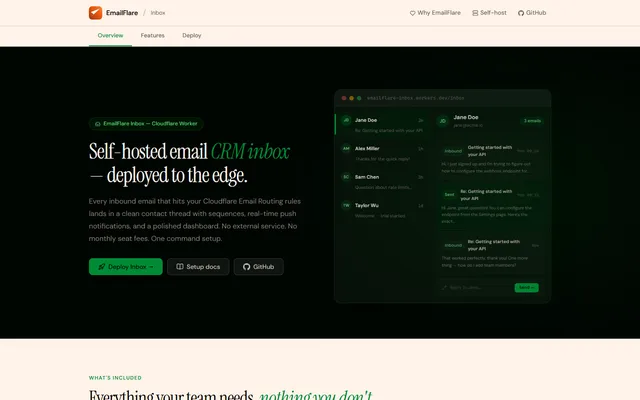
Transactional email API and shared team inbox built on Cloudflare Email Sending, Email Routing and D1
- Deploy
- CLI
- License
- MIT
- GitHub stars
- 252 stars
- Last commit
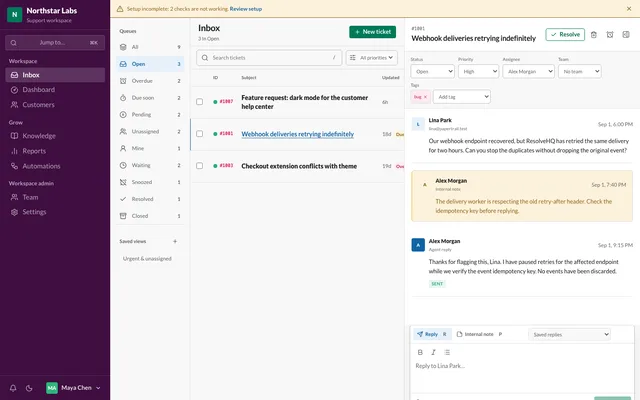
Email helpdesk for support teams of one to fifteen people who have outgrown group email
- Deploy
- One-click
- License
- ResolveHQ Source-Available License
- GitHub stars
- 202 stars
- Last commit