2FAuth Worker
Self-hosted TOTP vault with AES-encrypted secrets in D1, whitelist OAuth login and an offline-capable PWA
2FAuth Worker sign-in screen on the public demo, offering several login providers and passkey sign-in
2FAuth Worker stores TOTP secrets in a D1 database, encrypted with AES under an ENCRYPTION_KEY secret, and generates codes in a web app that also works offline as a PWA. Only whitelisted accounts can sign in, through GitHub, Google, Telegram, Cloudflare Access, Gitee or NodeLoc.
A leaked copy of the D1 database does not reveal the TOTP seeds without ENCRYPTION_KEY. The OAUTH_ALLOWED_USERS whitelist takes email addresses or Telegram IDs. A built-in health check refuses to serve codes when critical secrets are missing or misconfigured. The web interface installs as a PWA, and its offline cache lets it open and generate codes without a network connection. A standalone Node.js script (scripts/decrypt_backup.js) decrypts a backup file offline, so the codes stay recoverable even if the deployment or the Cloudflare account is gone. On Cloudflare the app is one Worker that serves the frontend as static assets and stores data in D1. A daily cron trigger at 02:00 UTC runs the automatic backups to WebDAV, S3 storage or a Telegram bot. Besides the dashboard import of a fork, the README documents a GitHub Actions workflow and a Docker image for NAS or home-server installs.
Built for: Privacy-minded individuals and self-hosters who want their 2FA secrets in their own Cloudflare account or on their own NAS.
What you can use it for
- Keep TOTP codes in a vault you control instead of on a single phone
- Generate 2FA codes offline from an installed PWA
- Back up encrypted 2FA secrets to WebDAV, S3 or Telegram automatically
- Recover 2FA secrets offline from an encrypted backup file
Deploy
Manual
Branch main
Fork the repository, then follow the README's button to the Workers create page in the dashboard. Import the fork with Continue with GitHub and deploy, then add the encryption, JWT, whitelist and OAuth variables under the Worker's Settings.
Setup is a dashboard import of a fork followed by six variables: ENCRYPTION_KEY, JWT_SECRET, OAUTH_ALLOWED_USERS and the client ID, secret and redirect URI of an OAuth app you create. The README uses GitHub as the example provider.
What it needs to run
- D1 databases2fauth-db
Also uses
- GitHub OAuth (optional): Sign-in through a GitHub OAuth appSource
- Google OAuth (optional): Sign-in through a Google OAuth client
Good to know
Sign-in requires at least one configured OAuth provider; there is no password login. ENCRYPTION_KEY cannot be changed after setup without making stored secrets unreadable. Telegram login on Workers needs a manually registered webhook. The default README is in Chinese, with an English version available. The public demo has open enrollment, so anyone can change or delete its data.
Cost on Cloudflare
Likely fits the free plan
The README describes the Workers deployment as zero cost. The app needs one Worker with static assets, a D1 database and a single daily cron trigger, all available on the Workers Free plan with its 100,000 requests per day.
The estimate is based on Cloudflare’s documented limits and the app’s configuration. What you pay depends on your usage and plan.
Where this comes from
- Repositoryhttps://github.com/nodeauth/2fauth-worker
- App websitehttps://2fauth.pp.ua
- Demohttps://2fa.nezha.pp.ua
- Documentationhttps://github.com/nodeauth/2fauth-worker/blob/main/README_EN.md
An alternative to Authy, Google Authenticator, Microsoft Authenticator.
Listing history
- Oct 2, 2026 · 2FAuth Worker listed
Similar apps
All Security apps
Bitwarden-compatible password vault server that runs on Workers, D1 and R2 in your own Cloudflare account
- Deploy
- Manual
- License
- LGPL-3.0
- GitHub stars
- 3.9k stars
- Last commit
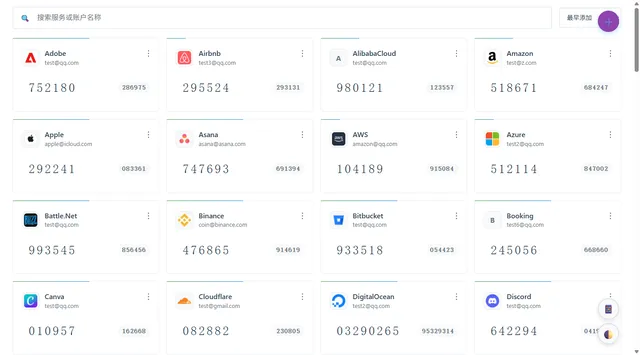
Self-hosted TOTP and HOTP code manager with imports from other authenticators, cloud backups and browser extensions
- Deploy
- One-click
- License
- MIT
- GitHub stars
- 449 stars
- Last commit
Burn-after-read encrypted notes, with the key kept in the link fragment and a CLI for terminal output
- Deploy
- One-click
- License
- MIT
- GitHub stars
- 256 stars
- Last commit