DrawCMS
Editor for animated architecture, sequence and BPMN diagrams that you or an AI agent build, narrate step by step and export as GIF
DrawCMS editor with the architecture request flow sample: User, Load Balancer, API and Database, animation on and the presentation steps panel open
DrawCMS draws technical diagrams that move. Motion presets show which way a request travels, and presentation steps walk a viewer through the system in an order you choose. You can draw by hand or let an AI agent build the diagram on the same canvas. The self-hosted editor keeps everything in the browser, needs no account, and exports PNG or animated GIF.
The palette has 75 elements across 17 diagram types, including system architecture, sequence, ER, BPMN, network and CI/CD pipeline diagrams. Picking a type narrows the palette to that notation, and AWS, GCP, Azure and infrastructure icons sit next to it. Eighteen templates open with motion and presentation steps already set. Motion and narration are kept apart from the layout. A preset attaches to a single node or connector, so retiming an animation never moves anything. Each presentation step highlights its own nodes and connectors, with wording you write. A diagram is one .drawcms file that carries its motion and steps with it. AI agents work through the editor's own tools. In a browser that supports WebMCP, an agent can read, build, edit and validate the diagram on the live canvas, and a single undo reverses a whole batch of its edits. A separate agent skill for Claude Code, Codex CLI, Cursor and OpenCode generates a diagram from a description or a repository and writes a file the self-hosted editor opens. On Cloudflare, the Next.js app builds with OpenNext into one Worker with static assets and no storage bindings. Autosave goes to the browser's local storage, and Save downloads a .drawcms file. The hosted DrawCMS Cloud runs the same editor and adds accounts, share links, embeds and SVG and MP4 export for a subscription.
Built for: Engineers and technical writers who explain systems in docs, design reviews or talks and want diagrams that show how requests move
An alternative to: Eraser, Lucidchart
What you can use it for
- Animate the request path through an architecture diagram for a design review
- Turn a sequence diagram into a narrated walkthrough for onboarding docs
- Have a coding agent draft a diagram from a repository, then refine it by hand
- Export an animated GIF of a deployment pipeline for a README or a slide
Deploy
CLI
No D1, KV or R2 to create and no environment variables; the Worker comes up on workers.dev. The README also shows a Deploy to Cloudflare button, but it runs the plain Next.js build script, which skips the OpenNext step these commands run.
npx wrangler login
git clone https://github.com/drawcms/drawcms.git
cd drawcms
npm install
npm run build:cloudflare
npm run deploy:cloudflare
Needs Node.js and a Cloudflare login on a local machine. The OpenNext build takes a few minutes, and nothing has to be created in the dashboard.
Good to know
Diagrams stay in the browser that made them; moving work between devices means saving and opening .drawcms files. There is no sign-in, so each visitor works in their own browser storage. Share links, embeds, account storage and SVG or MP4 export are only in the paid DrawCMS Cloud. Agent editing on the live canvas needs a browser that supports WebMCP; other browsers show the plain editor. Young project: the repository was created in September 2026.
Cost on Cloudflare
Likely fits the free plan
The Worker has no storage bindings, and the editor runs in the browser. The built Worker is about 1.2 MB gzipped, under the 3 MB limit of Workers Free.
The estimate is based on Cloudflare’s documented limits and the app’s configuration. What you pay depends on your usage and plan.
Where this comes from
- Repositoryhttps://github.com/drawcms/drawcms
- App websitehttps://drawcms.com
- Documentationhttps://drawcms.com/docs
Listing history
- Oct 12, 2026 · DrawCMS listed
Similar apps
All Productivity apps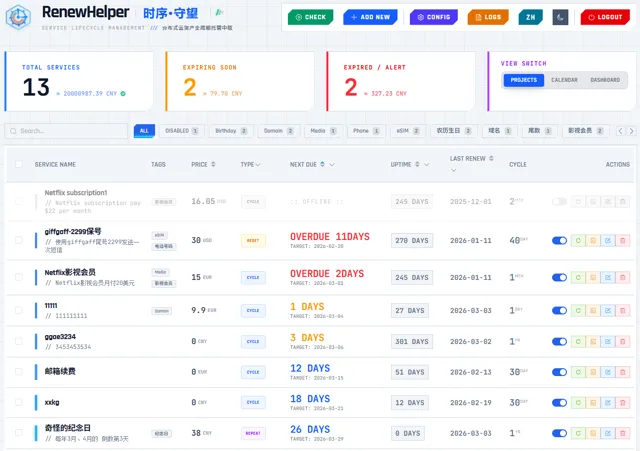
Renewal reminders for domains, servers and SaaS plans, with lunar calendar cycles and a spending dashboard
- Deploy
- One-click
- License
- MIT
- GitHub stars
- 399 stars
- Last commit
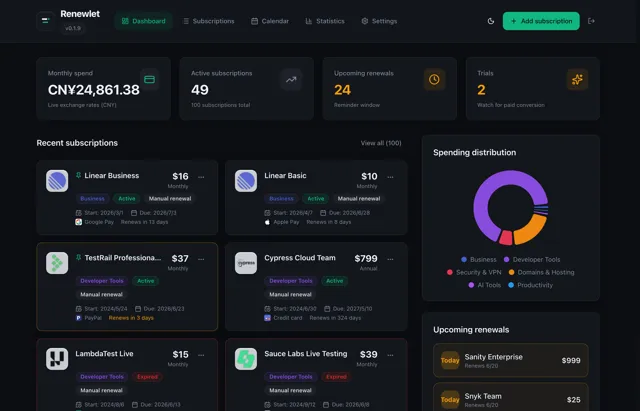
Self-hosted subscription ledger with renewal reminders in each user's timezone, budgets and calendar feeds
- Deploy
- One-click
- License
- MIT
- GitHub stars
- 282 stars
- Last commit
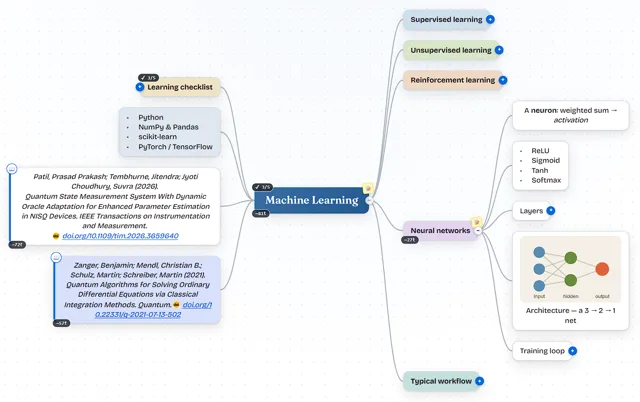
Mind-mapping app with a two-way Markdown editor that saves maps to a private GitHub, Gitea or GitLab repository
- Deploy
- CLI
- License
- MIT
- GitHub stars
- 187 stars
- Last commit
' gradientUnits='userSpaceOnUse'%3E%3Cstop offset='0%25' style='stop-color:%232563eb'/%3E%3Cstop offset='100%25' style='stop-color:%2322d3ee'/%3E%3C/linearGradient%3E%3ClinearGradient id='b1' x1='30.4' y1='54.5' x2='30.4' y2='14.8' gradientTransform='scale(0.694,1.441)' gradientUnits='userSpaceOnUse'%3E%3Cstop offset='0' style='stop-color:%2326afe1;stop-opacity:1'/%3E%3Cstop offset='1' style='stop-color:%23ee5a22;stop-opacity:0.7'/%3E%3C/linearGradient%3E%3ClinearGradient id='b2' xlink:href='%23b1' x1='16' y1='47.2' x2='71.3' y2='47.2' gradientUnits='userSpaceOnUse'/%3E%3Cfilter id='f1' x='-20%25' y='-20%25' width='140%25' height='140%25'%3E%3CfeGaussianBlur in='SourceGraphic' stdDeviation='1.5' result='blur'/%3E%3CfeMerge%3E%3CfeMergeNode in='blur'/%3E%3CfeMergeNode in='SourceGraphic'/%3E%3C/feMerge%3E%3C/filter%3E%3C/defs%3E%3Cpath d='M50 5 L93 30 V70 L50 95 L7 70 V30 Z' stroke='url(%23c1)' stroke-width='4' fill='none' filter='url(%23f1)' stroke-linejoin='round'/%3E%3Cpath d='M7 30 L30 50 M93 30 L70 50 M7 70 L30 50 M93 70 L70 50' stroke='url(%23c1)' stroke-width='1' opacity='0.3'/%3E%3Cg filter='url(%23f1)'%3E%3Ccircle cx='50' cy='50' r='38' stroke='url(%23c1)' stroke-width='1' opacity='0.2' stroke-dasharray='3 3'/%3E%3Ccircle cx='50' cy='50' r='26' stroke='url(%23c1)' stroke-width='3' fill='none'/%3E%3Cpath d='M50 18 V24 M82 50 H76 M50 82 V76 M18 50 H24 M72 28 L67 33 M72 72 L67 67 M28 72 L33 67 M28 28 L33 33' stroke='url(%23c1)' stroke-width='4' stroke-linecap='round'/%3E%3C/g%3E%3Cg filter='url(%23f1)'%3E%3Ccircle cx='50' cy='50' r='5' fill='url(%23c1)'/%3E%3Cpath d='M50 50 L47 20 L50 18 L53 20 Z' fill='url(%23c1)'/%3E%3Cpath d='M47 20 L50 12 L53 20 L50 18 Z' fill='white'/%3E%3Cpath d='m 49.8,49.9 30,-3 2,3 -2,3 z' style='fill:url(%23h1)'/%3E%3Cpath d='M 45.1,22 C 58.7,24.2 68.3,37.4 66.1,51 63.9,64.7 50.7,74.2 37,72 30.2,71 23.9,67 20,61.2' style='fill:none;stroke:url(%23b2);stroke-width:9.75;stroke-linecap:butt' transform='matrix(-0.122,0.691,-0.691,-0.122,87.8,27.7)'/%3E%3C/g%3E%3C/svg%3E)
