
R2-Explorer
Google Drive-style file manager for an R2 bucket, with uploads, previews and password-protected share links
R2-Explorer demo listing an R2 bucket's folder and files with dates and sizes, in read-only mode
R2-Explorer is a Worker in your own Cloudflare account that puts a browser dashboard in front of one or more R2 buckets. Besides file management, it can share single files by public link and show mail received through Email Routing.
Files upload by drag and drop, with multipart uploads for large files and whole-folder uploads. You can create folders and use a right-click menu for file actions. PDFs, images, text, Markdown, CSV and Logpush files open in the browser for preview, and you can edit text files in place. A share link publishes a single file at a public URL, optionally with a password, an expiration time and a download limit. You can also edit HTTP and custom object metadata. The app can receive mail through Cloudflare Email Routing and display messages with their attachments. Behind the dashboard is a Worker that imports the r2-explorer npm package, binds an R2 bucket and serves the UI through Workers Static Assets. Its settings live in src/index.ts: a readonly flag, Basic Auth users and a Cloudflare Access team name for Zero Trust login. The Deploy to Cloudflare button points at the official cloudflare/templates repository. The maintainer recommends installing through a GitHub Action from a fork and also documents a create-cloudflare template.
Built for: Small teams and developers who store files in R2 and want a browser file manager with access control
What you can use it for
- Give non-technical teammates a file browser for an R2 bucket
- Share files by link with a password, expiry or download limit
- Preview PDFs, images and CSVs stored in R2 without downloading them
- Browse Cloudflare Logpush output stored in R2
- Read emails and attachments received through Email Routing
Deploy
One-click · main path
Branch main
CLI
Branch main
Before deploying, set bucket_name in wrangler.toml to your bucket and configure readonly and sign-in in src/index.ts.
npm create cloudflare@latest r2-explorer -- --template "G4brym/R2-Explorer/template"
cd r2-explorer
npm run deploy
The button deploy is quick, but enabling uploads and sign-in means editing src/index.ts in the cloned repo and, for Cloudflare Access, setting up a Zero Trust team.
What it needs to run
- R2 bucketsbucket
Good to know
The one-click template deploys read-only with no authentication, so anyone with the URL can browse the bucket until sign-in is configured. The template pins r2-explorer 1.1.10, which predates the share links added in 1.1.11 and the prefix search added in 1.1.14. The latest release is v1.2.0. The deploy creates a new bucket; using an existing one means editing wrangler.json. Folder renaming is still on the README roadmap. Inline images in emails do not load under Basic Auth.
Cost on Cloudflare
Likely fits the free plan
R2's free tier includes 10 GB-month of storage, 1 million Class A and 10 million Class B operations per month, with free egress. Workers Free includes 100,000 requests per day. R2 must be activated in the Cloudflare dashboard before first use.
The estimate is based on Cloudflare’s documented limits and the app’s configuration. What you pay depends on your usage and plan.
Where this comes from
- Repositoryhttps://github.com/G4brym/R2-Explorer
- App websitehttps://r2explorer.com
- Demohttps://demo.r2explorer.com
- Documentationhttps://r2explorer.com/getting-started/creating-a-new-project/
An alternative to Google Drive, OneDrive.
Listing history
- Oct 2, 2026 · R2-Explorer listed
Similar apps
All Storage & File Sharing apps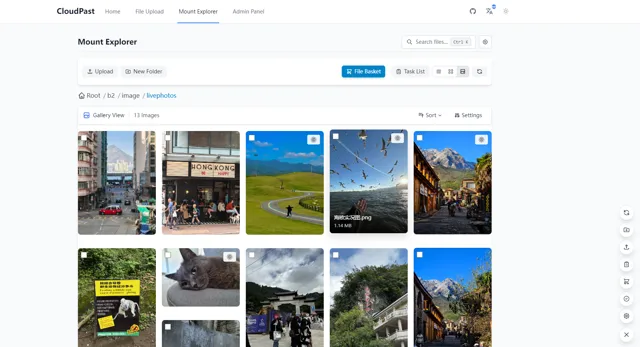
Markdown pastebin and multi-storage file manager on Cloudflare Workers, mountable as a WebDAV drive
- Deploy
- Manual
- License
- Apache-2.0
- GitHub stars
- 2.7k stars
- Last commit
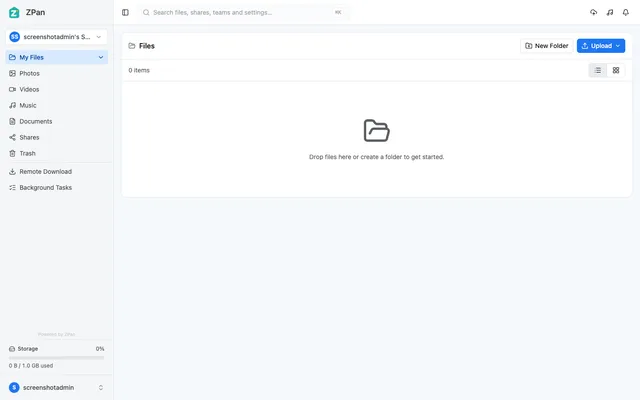
Web drive and image host for your own S3-compatible bucket, with share links, WebDAV and team spaces
- Deploy
- Manual
- License
- AGPL-3.0
- GitHub stars
- 2.1k stars
- Last commit
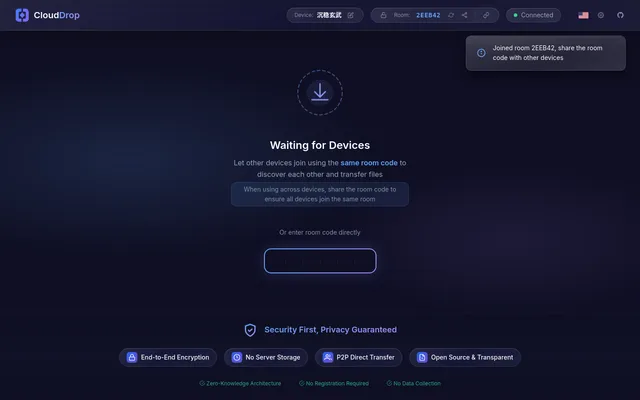
Encrypted peer-to-peer file sharing between browsers, with room codes and a Worker relay when direct links fail
- Deploy
- One-click
- License
- MIT
- GitHub stars
- 28 stars
- Last commit

